
Features
What every Comanver install includes, with nothing extra to buy
This is the core: what every install has from day one. What depends on your business — delivery, online ordering, waiter app, kitchen display — comes as modules.
A till built for the rush
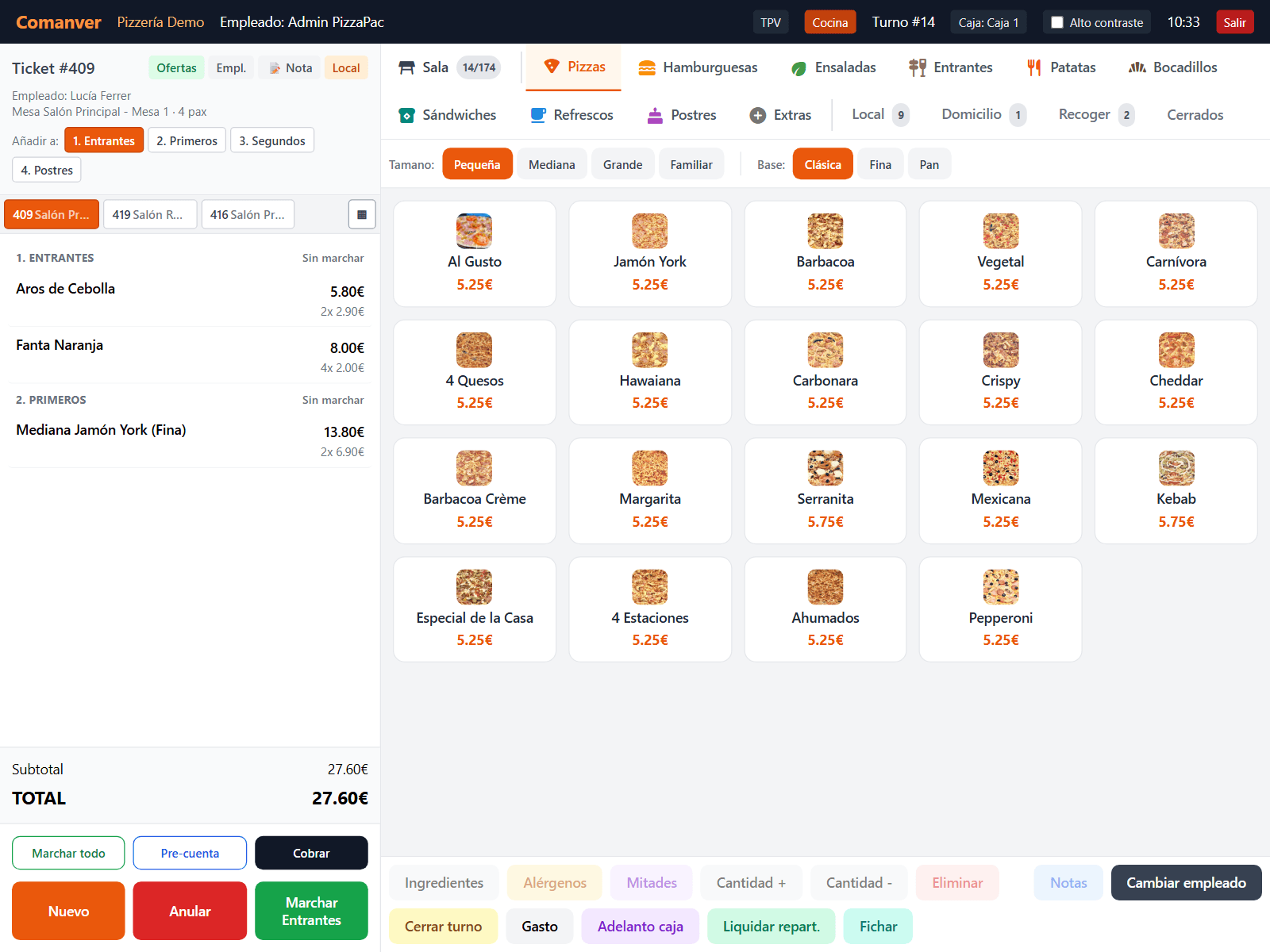
Big buttons, the menu with photos and the ticket always in view. Dine-in, bar, pickup, delivery and platforms on the same screen.
- Half-and-half pizzas, ingredients removed, added or doubled, and notes for the kitchen.
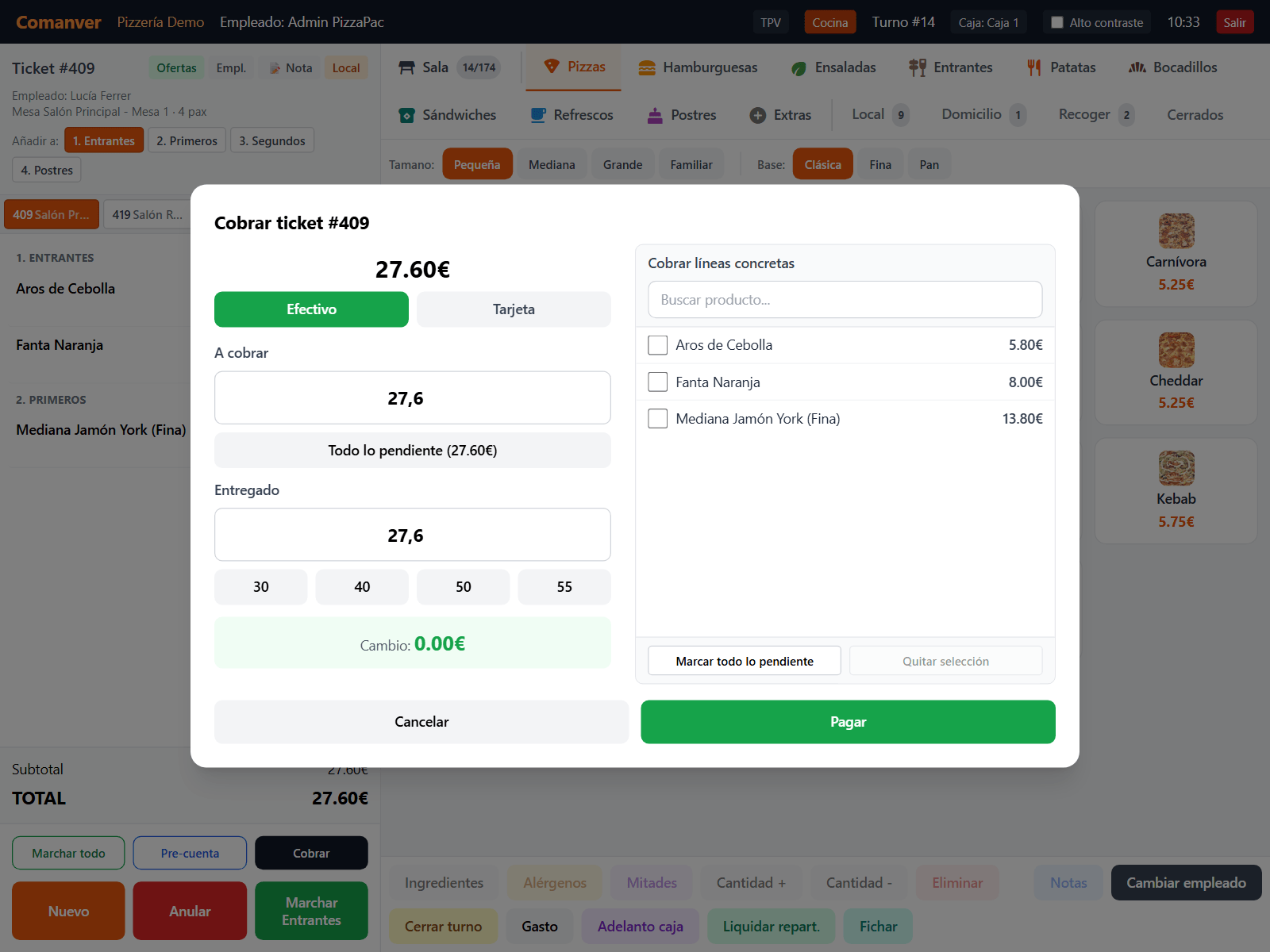
- Cash, card or split payments, and by line: each guest pays their own.
- Refunds with a proper corrective invoice, no workarounds.
- Switch staff with a PIN without closing anything, plus a high-contrast mode.
Your dining room, as it really is
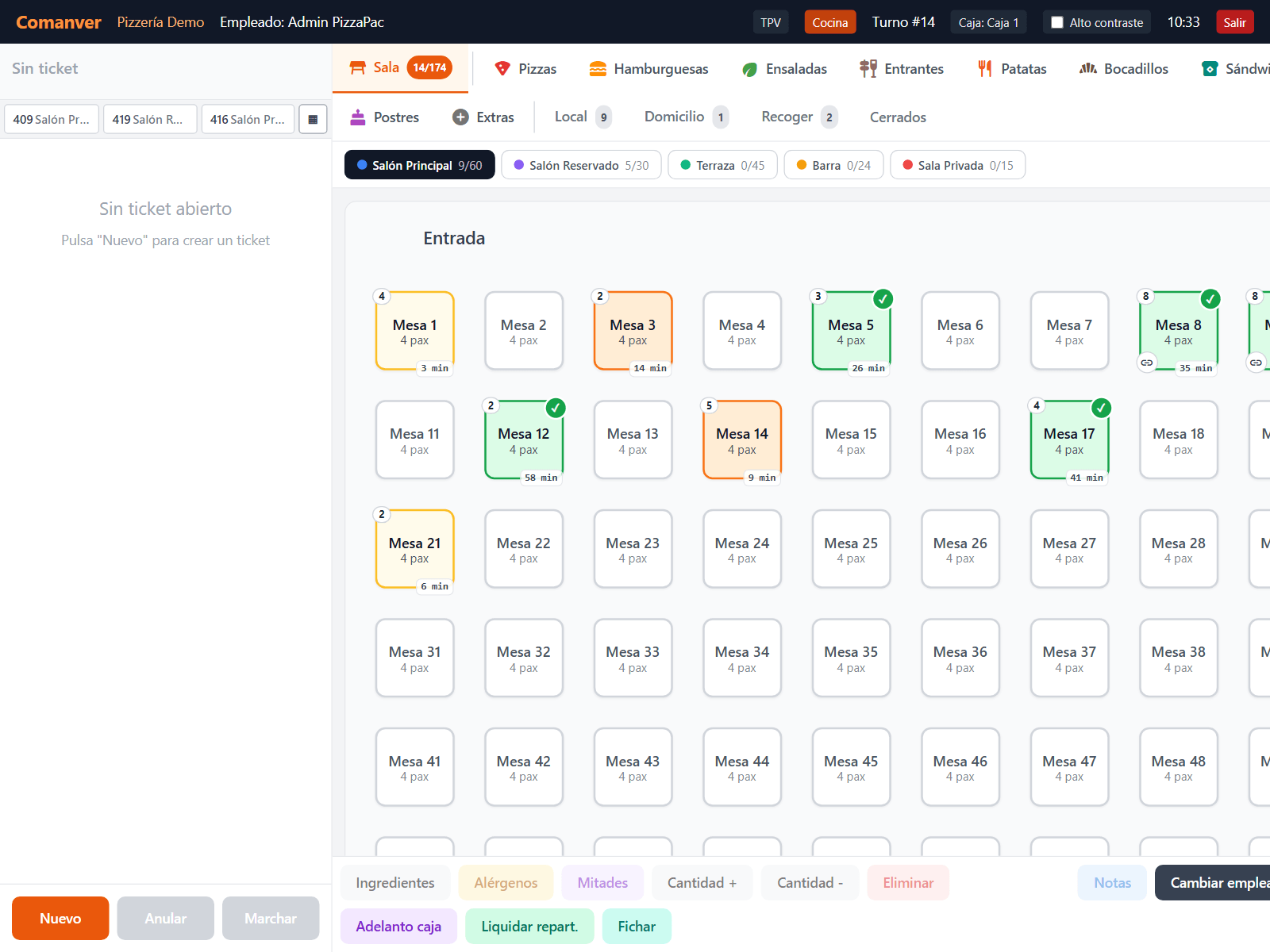
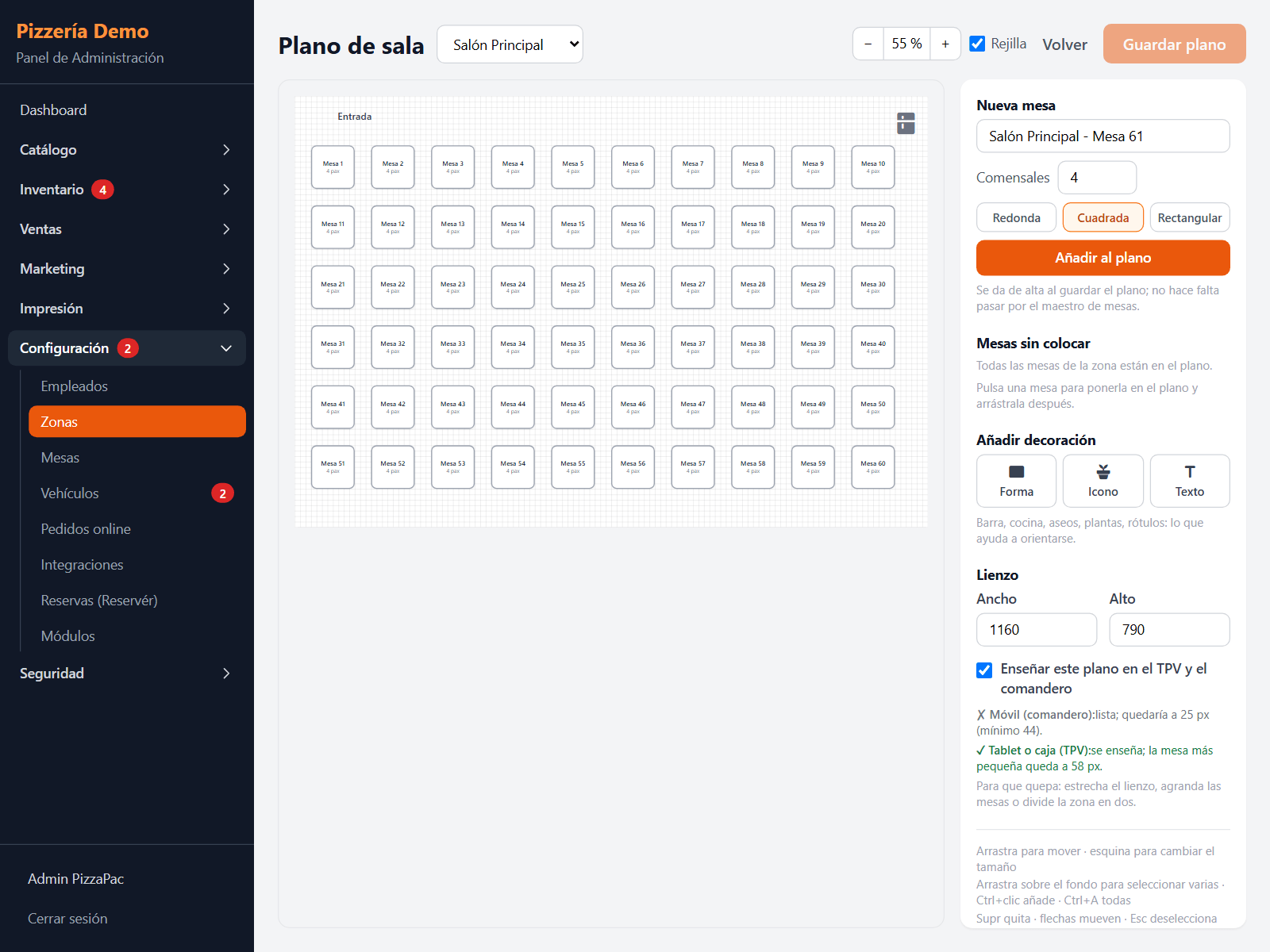
Draw each area with its tables and decor, and the till sees at a glance which table is free, eating or asking for the bill.
- Floor plan editor: round, square or rectangular tables, bar, kitchen and labels.
- Joined tables on one ticket (“5 + 6”).
- Courses (starters, mains, seconds, desserts): each one is fired when it is time.
- Pre-bill printed before payment.
Shifts and blind cash-up
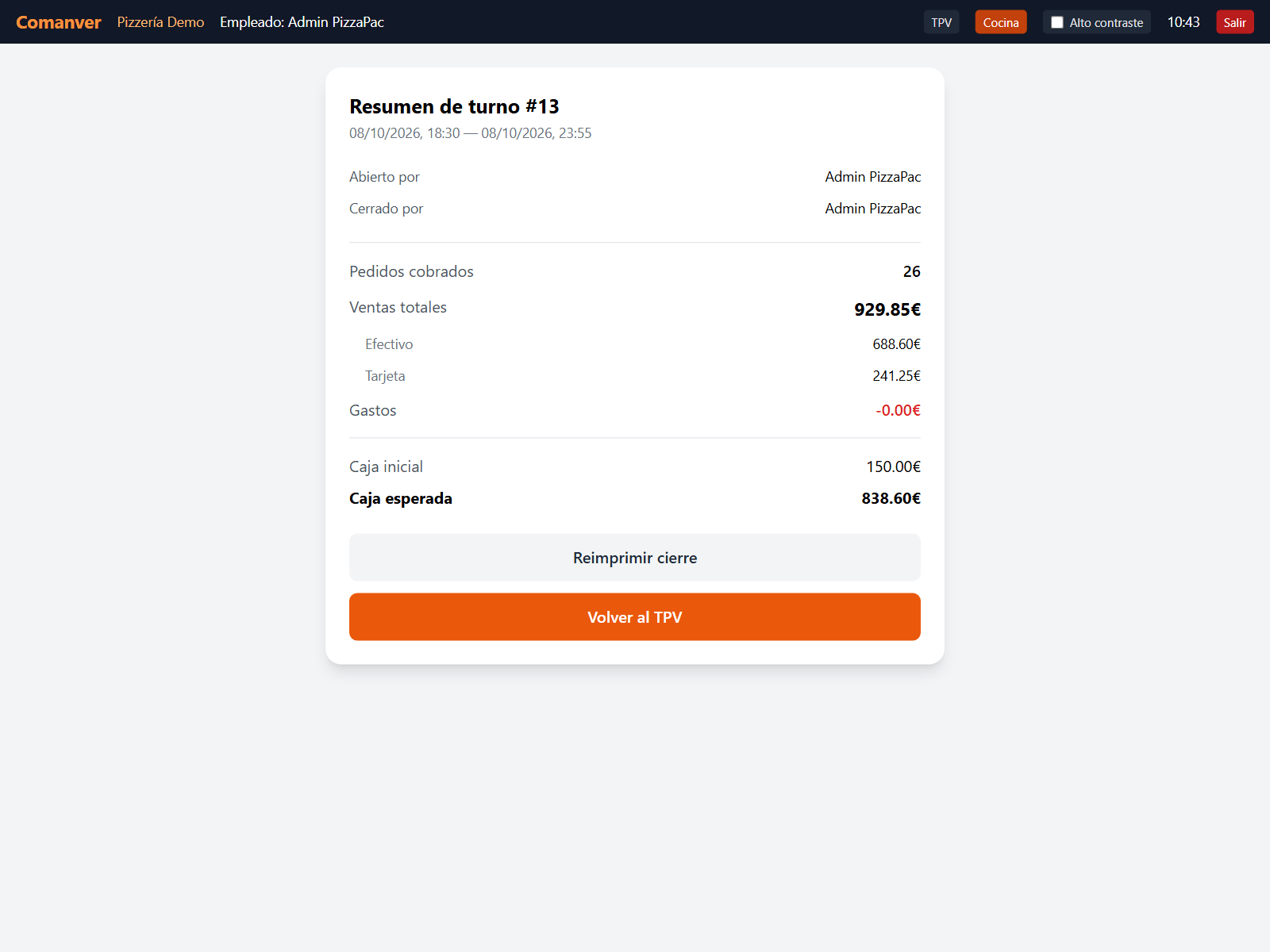
Opening and closing the till needs a manager’s PIN. On closing, cash and card totals are counted before the expected figures are shown, and any difference is recorded.
- Till expenses and change floats for riders, recorded in the shift.
- Printed shift summary: sales by method, expenses and expected cash.
- Online payments are kept separate and do not inflate the cash drawer.
Every ticket to the right printer
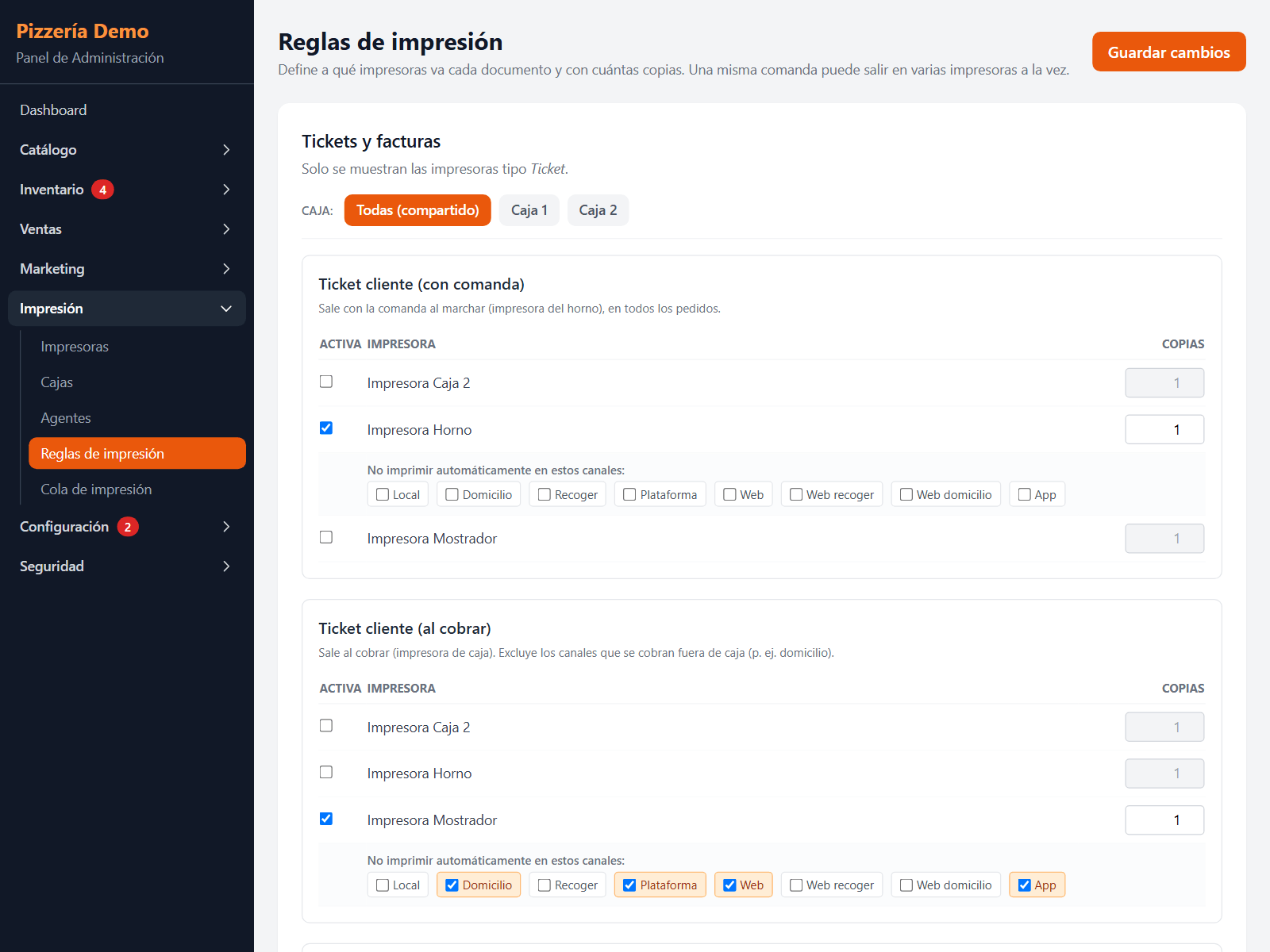
The pizza prints by the oven, the salad in the cold kitchen and the drink at the bar. Several tills, each with its own printer.
- Rules per document: kitchen ticket, customer receipt, pre-bill, cash-up.
- A Windows print agent you install once and that updates itself.
- Customer receipt and kitchen ticket at the right moment for each channel.
Invoicing and VeriFactu built in
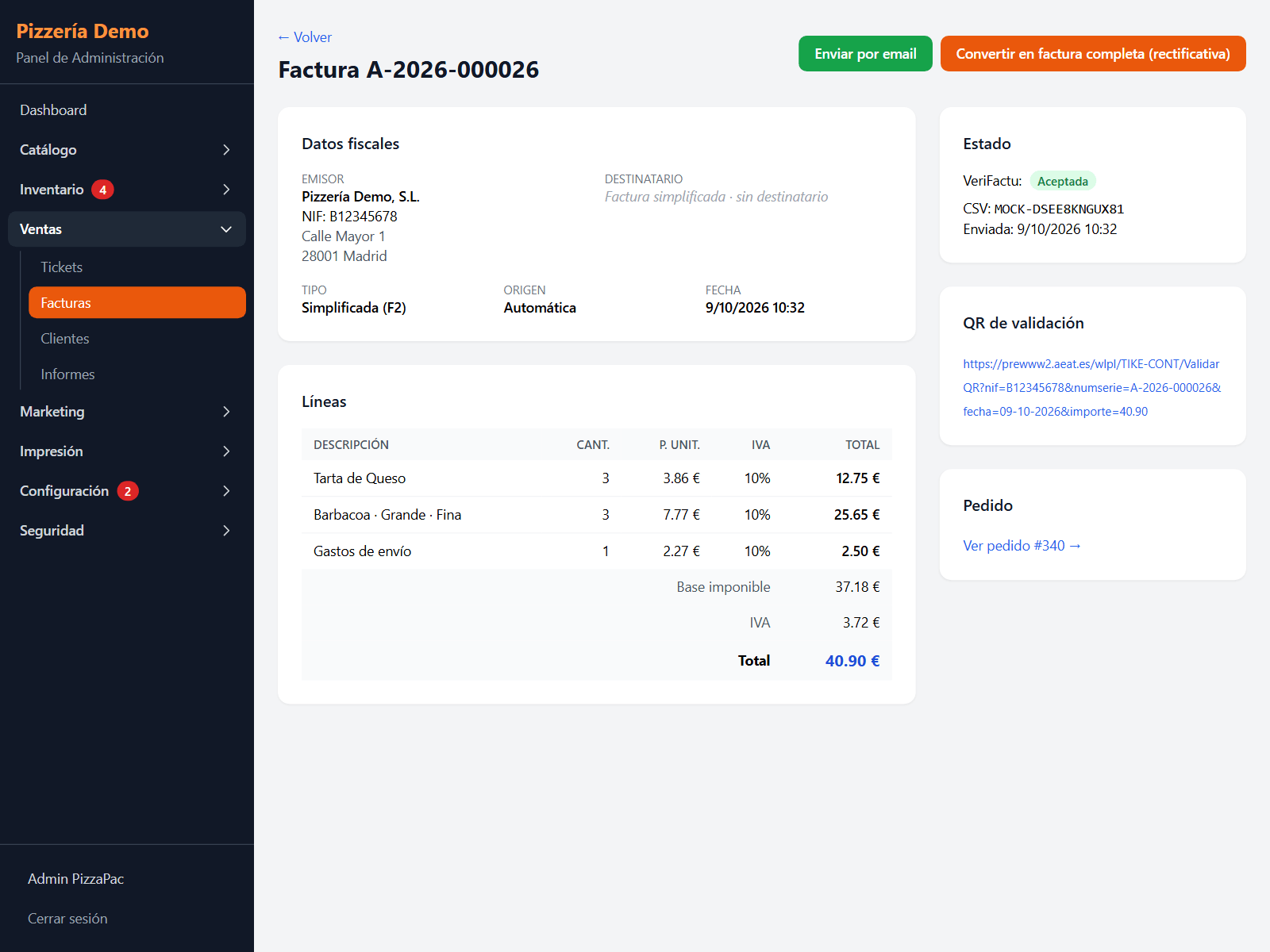
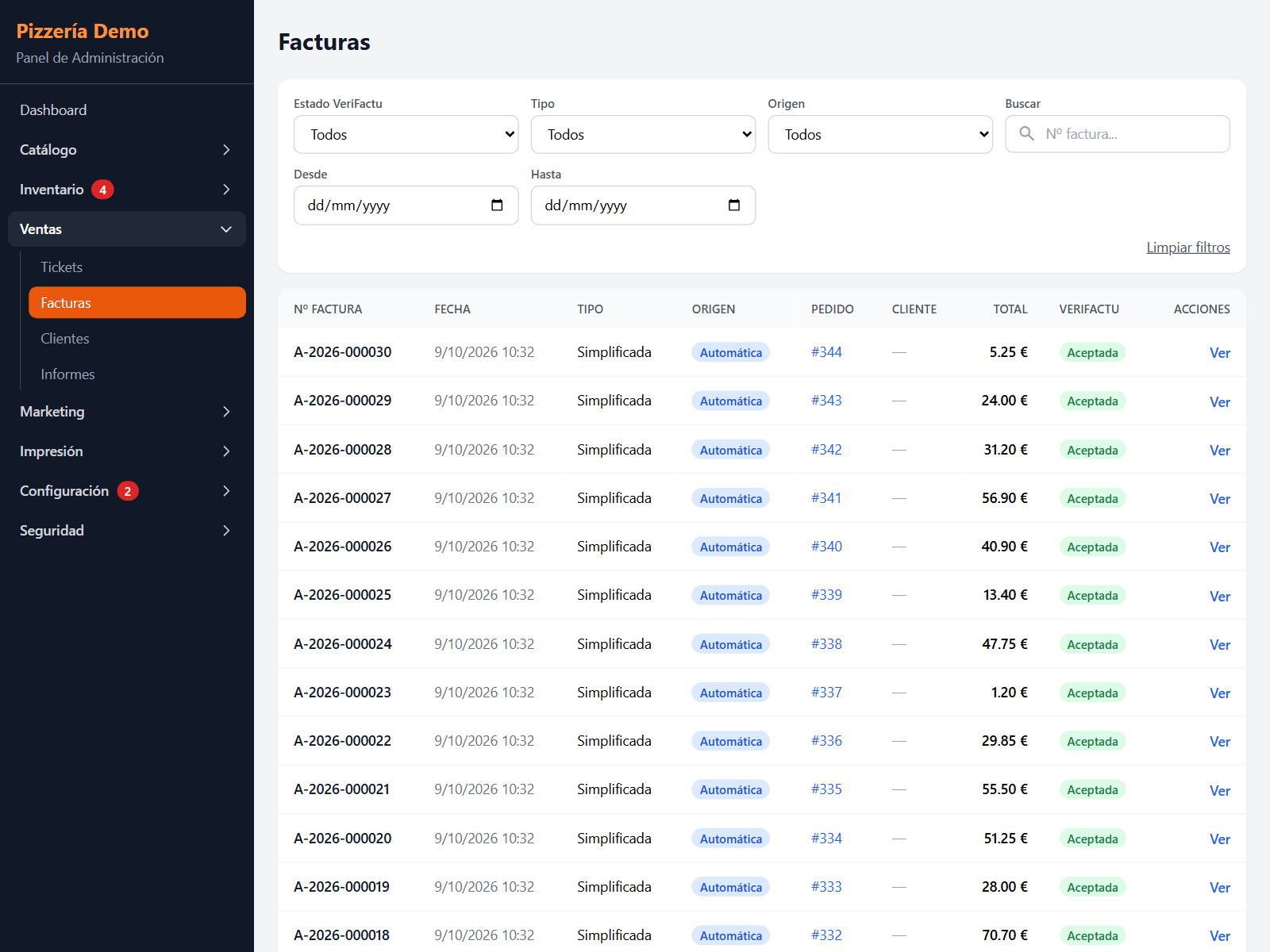
Every ticket is a chained simplified invoice with its hash and the Spanish Tax Agency verification QR. It is not a module: it is always there.
- Submitted to the Spanish Tax Agency, signed with each store’s own certificate.
- Full invoices from a ticket, corrective invoices and PDF by email.
- Turning a module off never locks you out of your tax records.
A back office for every day
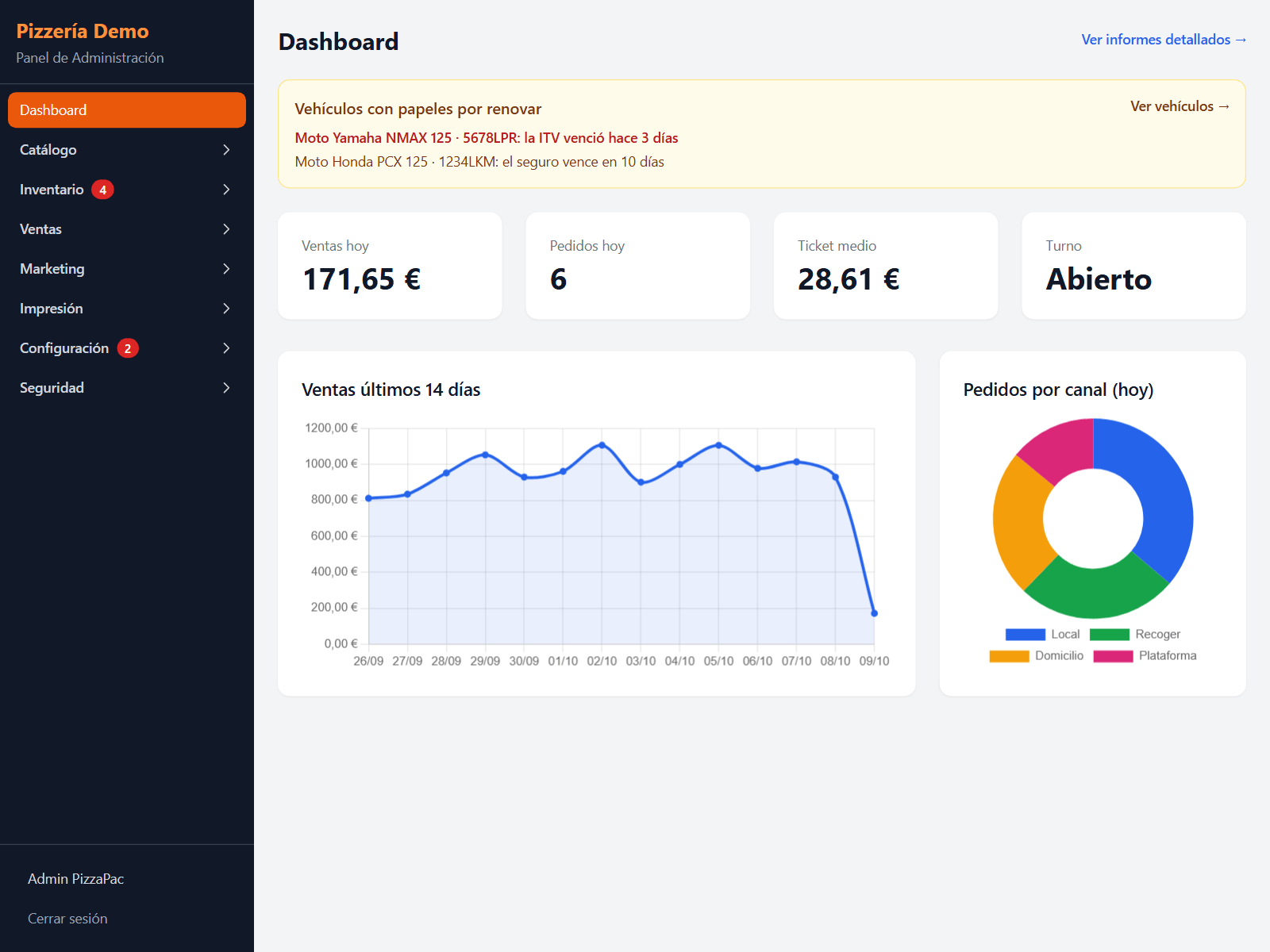
Today’s sales, the last two weeks and by channel; all tickets with filters; and alerts for what needs attention, like a scooter’s insurance about to expire.
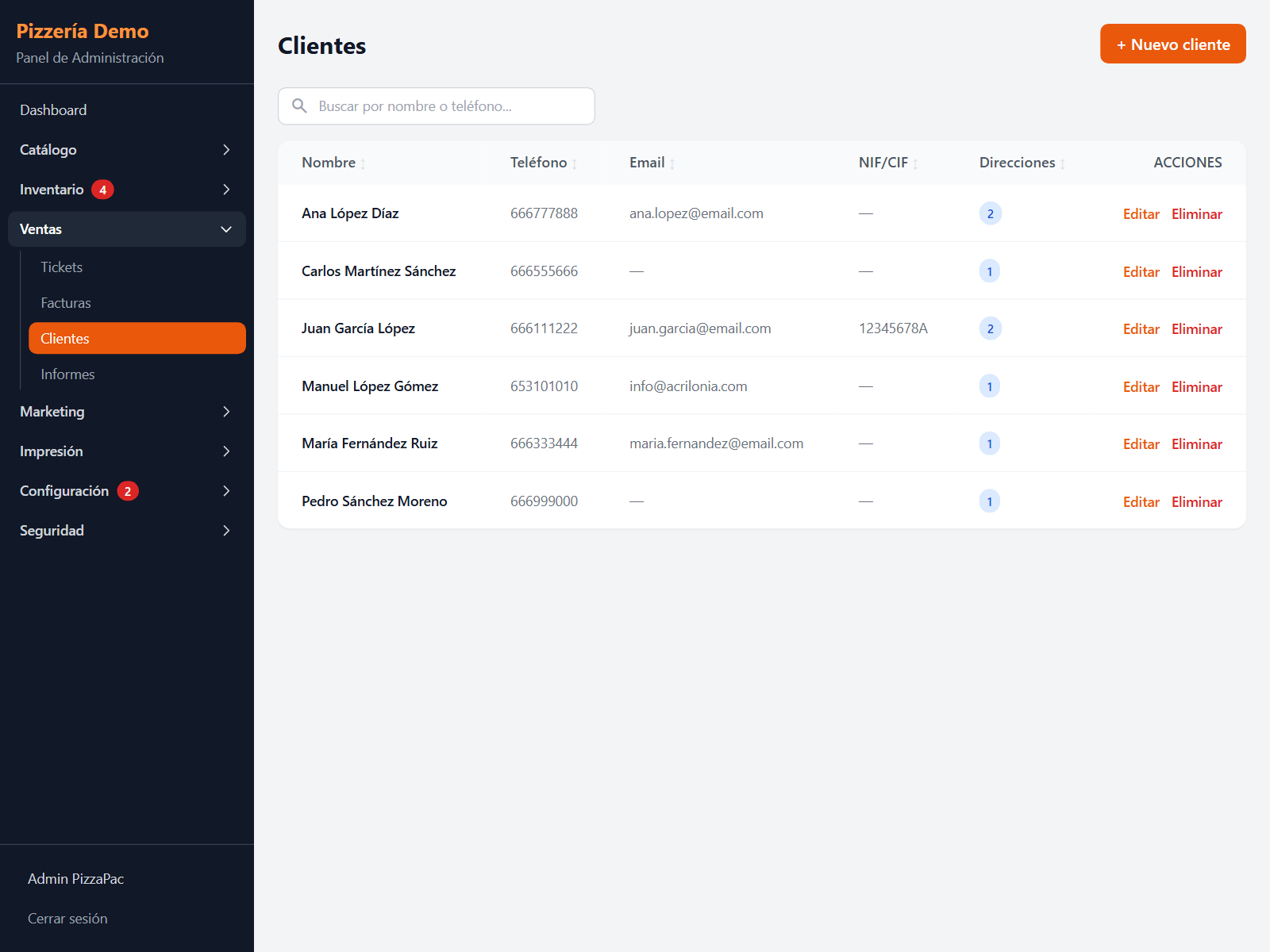
- Several stores with one account, switching between them from the header.
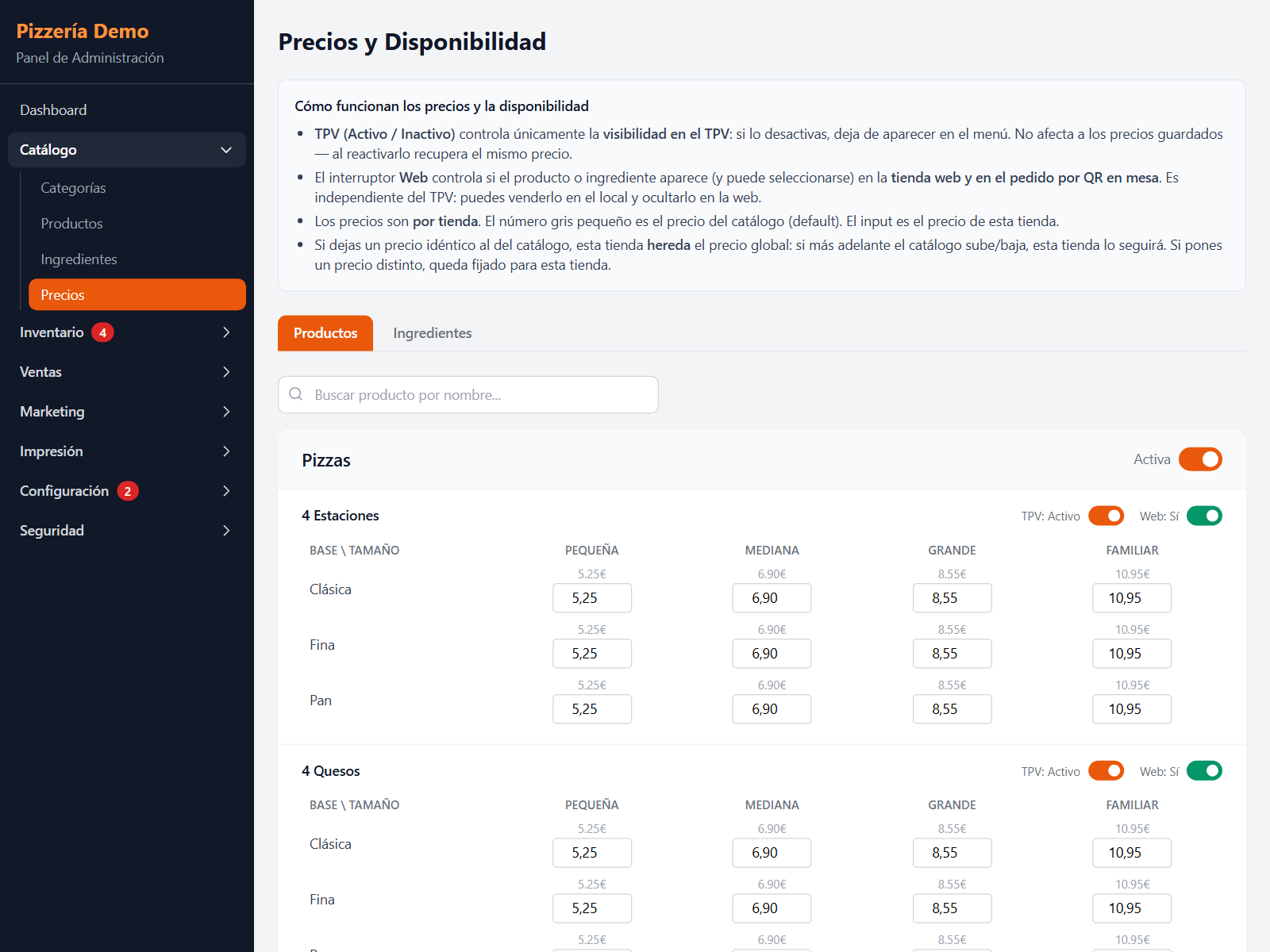
- Per-store prices on a shared menu, and what is sold where.
- Staff with their role: manager, waiter, cook, rider.
- Delivery vehicles with insurance and MOT dates.
- A support assistant in the back office that answers from the documentation.
Plus, on every install
- Real time: a web order shows up on the till without reloading.
- PIN sign-in on the till and, if you want, only from the venue’s network.
- Opening hours, special days and Spanish national and regional holidays pre-loaded.
- Screens in the venue update themselves when a new version ships.
Shall we try it with your menu?
Try the demo any time, or tell us about your place: how many tills, whether you have a dining room, whether you deliver. We will tell you which modules you need and which you don’t.